Hi Zubax Team,
This is Samuel. My team recently purchased 4x of this FluxGrip magnets (2x FG401M and 2x FG401MA) for testing on a new project. I have been following the blog on https://forum.zubax.com/t/fluxgrip-quickstart-guide/2335/1. However, I was unable to get the FG401M to work. FYI I had send an email yesterday for support too.
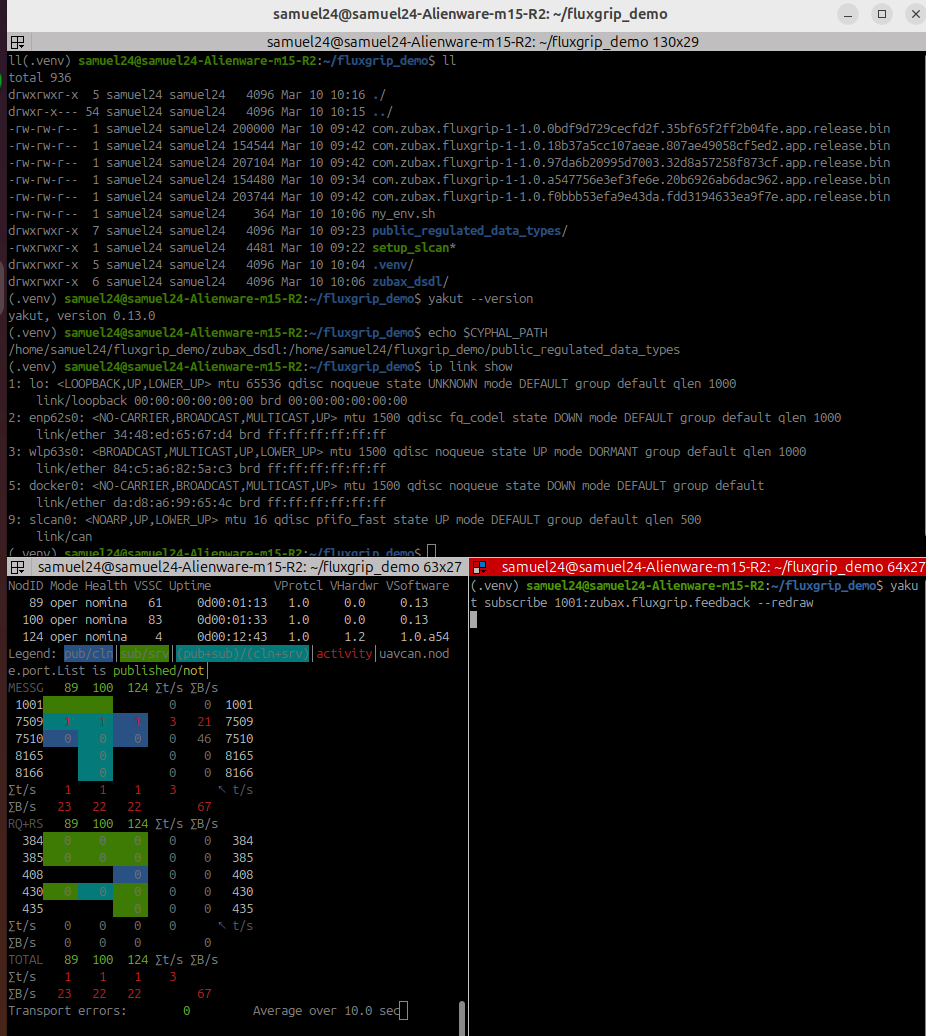
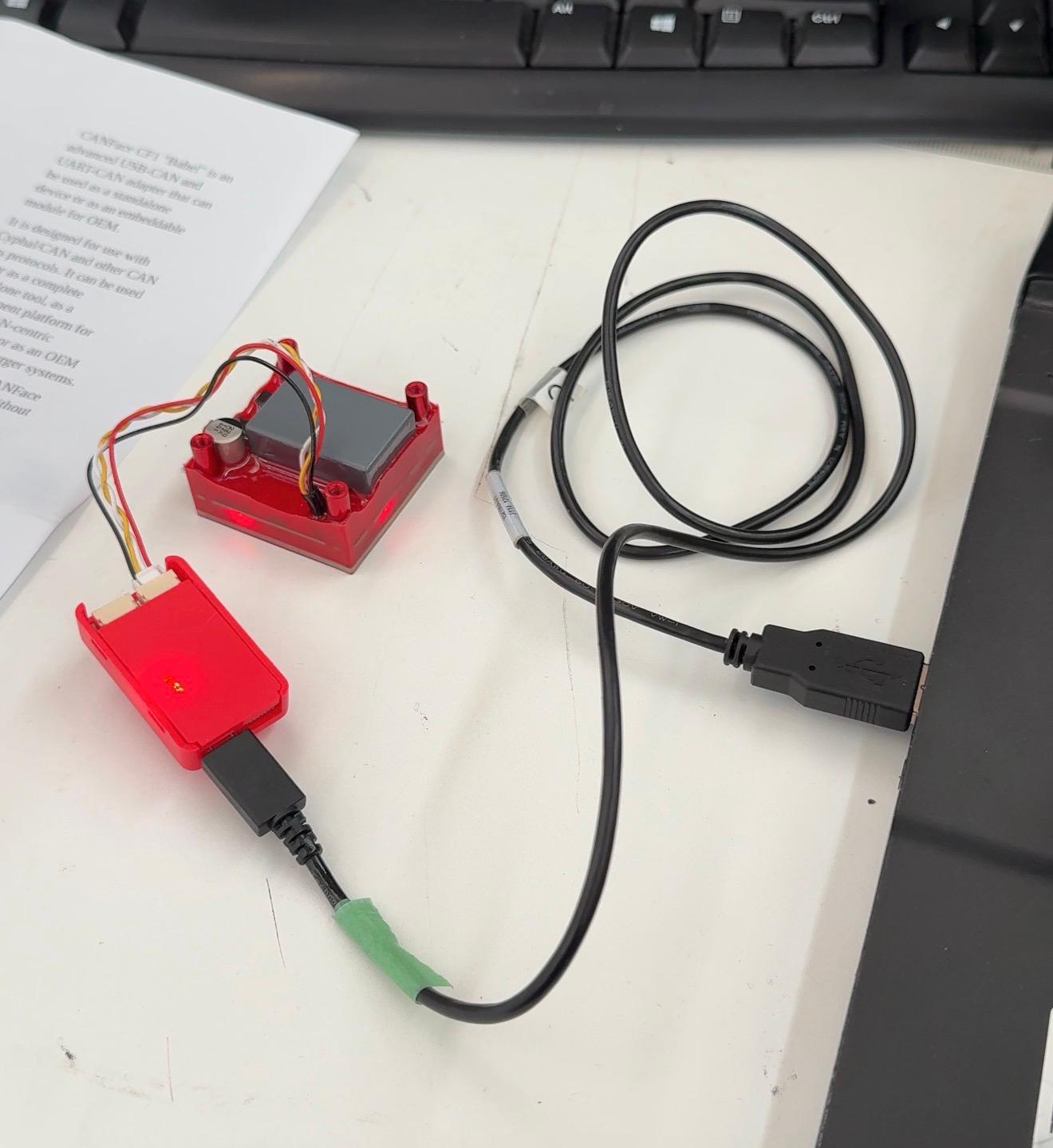
As attached is an image of my connection to laptop and the screenshot of my terminal on ubuntu24.
I am stuck on the Observing section.There does not seem to be any output, and I did notice that 1001 is not subscribing to 124 (NodeID). According to the blog, I should be seeing some feedback with the magnetized true/false and such. I am on ubuntu24, and connecting device on CF1. I had attempted the control command, but nothing happened also.
Quick question (Qn2): If I want to supply 24V for strong magnetism, where do I connect for the FG401M version? Perhaps the lack of feedback is due to insufficient power supply? I was following the CF1 connection diagram on the blog. I am checking the manual, but perhaps I can get some advice for the wiring also.
Since my team have purchased 2x of the FG401M and 2x FG401MA. I am testing the FG401M. On other hand, my colleague just managed to get the Analog version (FG401MA) to work with his esp32 using the analog interface to his esp32 now. He provided 24V power supply into the analog input.
Qn3 - Have you verified the CAN bus baud rate matches (default is 1 Mbps)?
On my terminal: ps aux | grep slcand
root 7451 0.0 0.0 2692 428 ? Ss 17:47 0:00 slcand -f -o -s8 /dev/ttyACM0 slcan0
-s8 = 1 Mbps
I have also attempted with yakut version 0.14.0 The feedback and primitive command is not showing anything either.
Hoping for some advice and thank you for your time.
Hi Samuel,
Regarding your magnet not being responsive, here’s the steps you should take:
- Once
slcan is configured (at 1 Mbps), make sure that the CAN led blinking pattern is correct, see the video in section “Can-related: CAN is up”. Given that the magnet is already showing up in Yakut, I don’t think this is the issue.
- The next step is to configure the registers for
uavcan.pub.feedback.id and uavcan.sub.command.id (by default these topic IDs disabled). Detailed instructions can be found in the second post of that forum thread, but I’ll post the essential commands below.
Use the subscribe window and execute the following commands:
yakut register-access 124 uavcan.sub.command.id 1000 # Write topic id value to sub.command.id
yakut register-access 124 uavcan.pub.feedback.id 1001 # Write topic id value to pub.feedback.id
yakut cmd 124 restart # This restarts the device, loading the new topic id values
(These commands assume that node ID is 124, as shown in your screenshot. If your node ID is different, please adjust the command accordingly.)
Now you should be able to turn the magnet on/off by sending a integer8 to the topic ID:
yakut publish -N2 1000:uavcan.primitive.scalar.integer8 0 # off
yakut publish -N2 1000:uavcan.primitive.scalar.integer8 1 # on
To view the feedback:
yakut subscribe 1001:zubax.fluxgrip.feedback --redraw
Let me know if you have any other questions!
PS: Apologies for this additional “configuration” step, this will be fixed in the next version of the firmware.
Hi Maksim,
That worked! I am getting the feedback, and it is working as intended with the on/off command.
I see that I was previously missing out on the restart step:
yakut cmd <NODE_ID> restart
which was on your may25 post.
My mistake there; I should have followed till the bottom of the blog.
Thanks again for the kind support.
1 Like