A customer has asked the following question:
We have been conducting tests on your magnets and have a few questions regarding the Yakut CLI tool and your current development tools.
First, could you explain why the activating command in the Yakut CLI generates two CAN commands?
To test this, we can use CanFace CF1 to both send/receive the CAN frames required to turn the magnet on/off.
- Setup the
slcaninterface (see FluxGrip quickstart guide for more details)

- In a seperate terminal, send the Yakut command
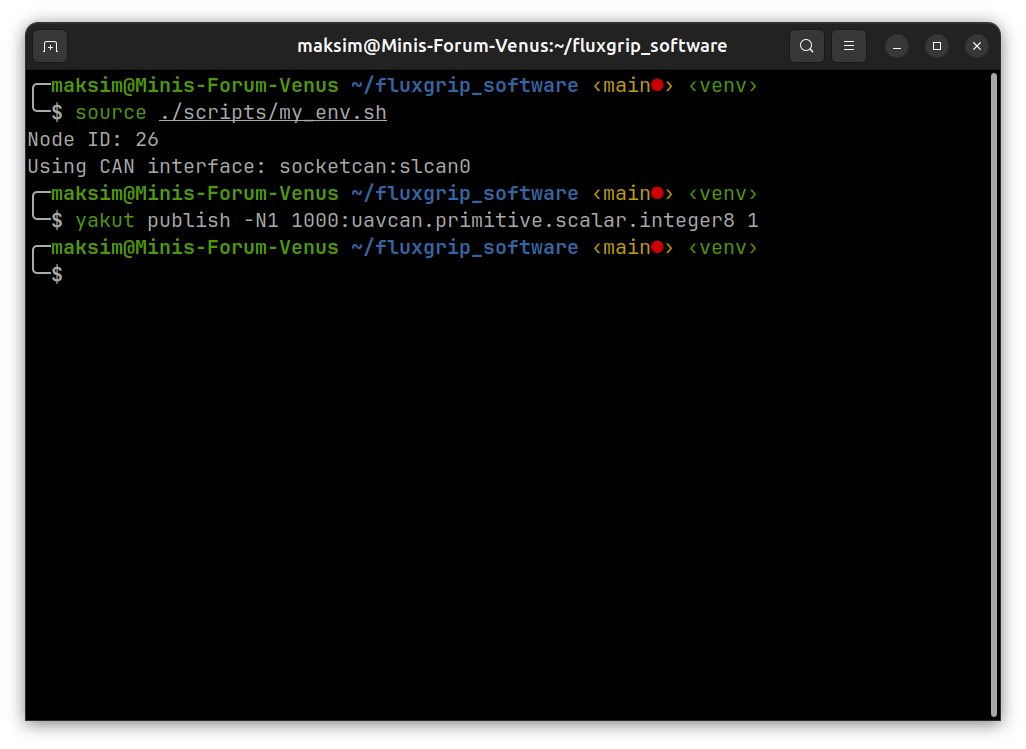
- Now we can see the following output in
candump
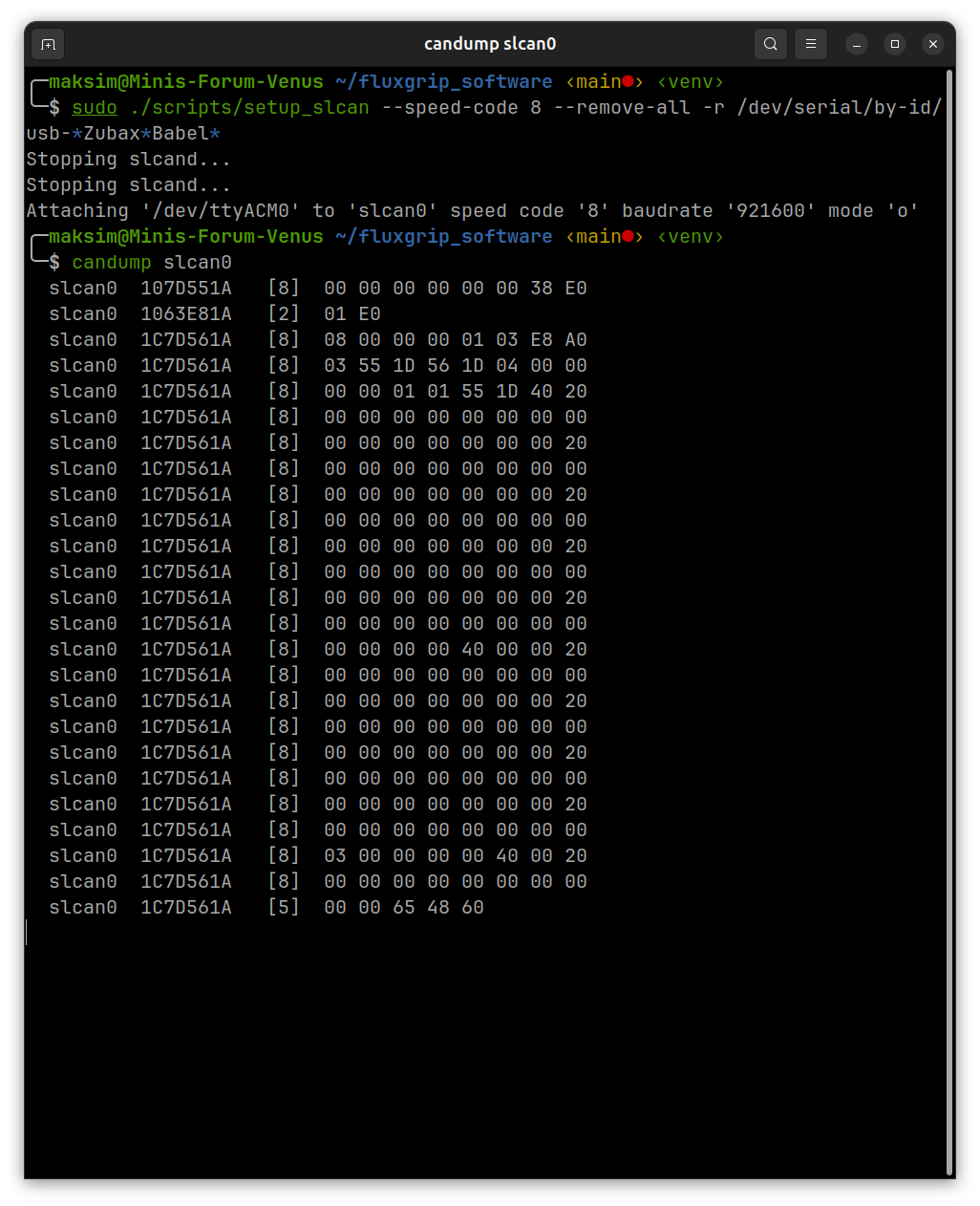
The CAN frame that sends the actual command:
slcan0 1063E81A [2] 01 E0
Decoding:
CAN ID: 0x1063E81A
subject_id = (0x1063E81A >> 8) & 0x1FFF = 1000
source_node_id = 0x1063E81A & 0x7F = 26
The remaining CAN frames are part of Cyphal housekeeping
CAN ID      subject/topic ID   source node ID   meaning
107D551A    7509               26               uavcan.node.Heartbeat
1C7D561A    7510               26               uavcan.node.port.List
Please note that if you keep sending the same command, the last byte will increase:
slcan0  1063E81A   [2]  01 E0
slcan0  1063E81A   [2]  01 E1
slcan0  1063E81A   [2]  01 E3
...
However, if I understand correctly, you’re looking to just simply hard-code a CAN frame value to turn the magnet on/off. This will work even if you don’t update the CAN frame (so just keep sending 01 E0 to turn on and 00 EO to turn off, note that this requires the magnet to be configured to receive uavcan.sub.command.id on topic id 1000).